Hashgraph Online Conversational Agent
The Conversational Agent (@hashgraphonline/conversational-agent) is a comprehensive AI agent that implements Hashgraph Consensus Standards (HCS) for agent communication, registry management, and content inscription on the Hedera Hashgraph.
How to Use These DocsDirect link to How to Use These Docs
- Step 1: Getting Started — install, set env vars, say hello to your agent.
- Step 2: Available Tools — see what the agent can actually do.
- Step 3: Forms & Parameters — when the agent asks for missing details.
- Step 4: Entity Memory — how it remembers topics/tokens so you can say “that one”.
- Step 5: Content References & HashLinks — send big files as lightweight references.
- Step 6: Operational Modes — decide who signs and how bytes flow.
- Step 7: Factory Helpers & Plugins — narrow or expand capability.
- Step 8: MCP Servers — add filesystem, GitHub, or databases.
- Step 9: Examples — end‑to‑end scripts to copy/paste.
- Step 10: Plugin Development — build your own tools.
What It ProvidesDirect link to What It Provides
This package provides a standalone conversational AI agent built on top of hedera-agent-kit v2.0.3, providing access to all Hedera Hashgraph functionality while adding:
- HCS‑10: AI Agent Communication standard for trustless peer‑to‑peer messaging
- HCS‑2: Registry management for decentralized data storage
- Inscription: Content inscription following Hashgraph Consensus Standards
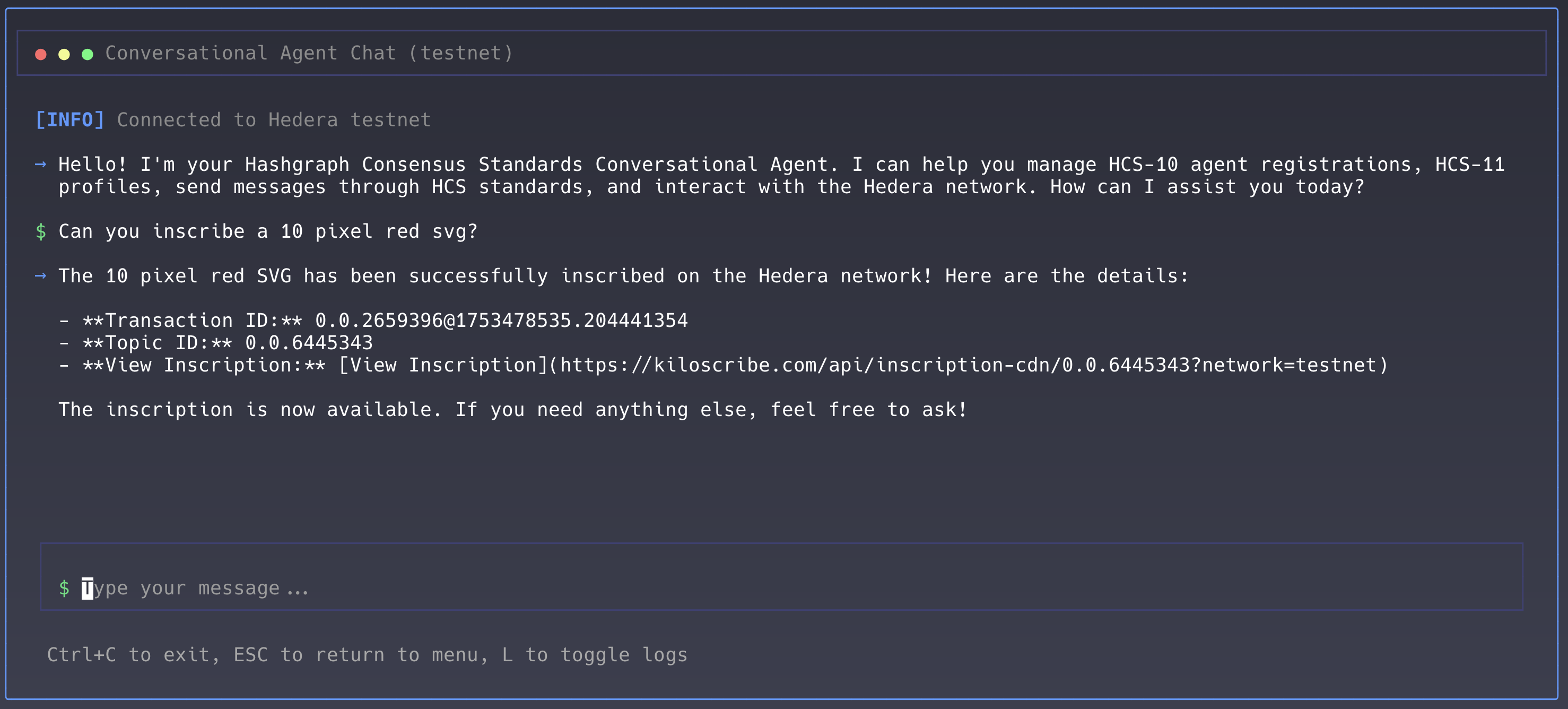
- CLI: Terminal interface for interactive agent communication
- Core Hedera Tools: Account, token, file, consensus, and smart contract services
DiagramDirect link to Diagram
InstallationDirect link to Installation
# Install the conversational agent
npm install @hashgraphonline/conversational-agent

# Required dependencies
npm install @hashgraph/sdk @hashgraphonline/standards-sdk
Choosing Models & ProvidersDirect link to Choosing Models & Providers
Configure the provider and model with llmProvider and openAIModelName.
Supported llmProvider values:
openai:gpt-4o,gpt-4o-mini, etc.anthropic:claude-3-7-sonnet-latest, etc.openrouter: Prefer vendor‑prefixed models likeopenai/gpt-4o-mini.
Defaults:
llmProvider:openaiopenAIModelName:gpt-4onetwork:testnet
OpenAI exampleDirect link to OpenAI example
const agent = new ConversationalAgent({
  accountId: process.env.HEDERA_ACCOUNT_ID!,
  privateKey: process.env.HEDERA_PRIVATE_KEY!,
  network: 'testnet',
  llmProvider: 'openai',
  openAIApiKey: process.env.OPENAI_API_KEY!,
  openAIModelName: process.env.OPENAI_MODEL || 'gpt-4o-mini',
});
await agent.initialize();
Anthropic exampleDirect link to Anthropic example
const agent = new ConversationalAgent({
  accountId: process.env.HEDERA_ACCOUNT_ID!,
  privateKey: process.env.HEDERA_PRIVATE_KEY!,
  network: 'testnet',
  llmProvider: 'anthropic',
  openAIApiKey: process.env.ANTHROPIC_API_KEY!,
  openAIModelName: process.env.ANTHROPIC_MODEL || 'claude-3-7-sonnet-latest',
});
await agent.initialize();
OpenRouter exampleDirect link to OpenRouter example
const agent = new ConversationalAgent({
  accountId: process.env.HEDERA_ACCOUNT_ID!,
  privateKey: process.env.HEDERA_PRIVATE_KEY!,
  network: 'testnet',
  llmProvider: 'openrouter',
  // You can provide the key via either `openRouterApiKey` or `openAIApiKey`
  openAIApiKey: process.env.OPENROUTER_API_KEY!,
  openRouterApiKey: process.env.OPENROUTER_API_KEY!,
  openRouterBaseURL: process.env.OPENROUTER_BASE_URL || 'https://openrouter.ai/api/v1',
  openAIModelName: process.env.OPENROUTER_MODEL || 'openai/gpt-4o-mini',
});
await agent.initialize();
Tips for OpenRouter routing:
- When using
openrouter/auto, some endpoints require candidate models. If you see “No models provided”, setOPENROUTER_MODELor pass candidates. - Ensure you send a valid Referer/Title; this package sets sensible defaults.
Quick StartDirect link to Quick Start
import { ConversationalAgent } from '@hashgraphonline/conversational-agent';

const agent = new ConversationalAgent({
  accountId: process.env.HEDERA_ACCOUNT_ID!,
  privateKey: process.env.HEDERA_PRIVATE_KEY!,
  network: 'testnet',
  openAIApiKey: process.env.OPENAI_API_KEY!,
  openAIModelName: 'gpt-4o',
  verbose: true,
});

await agent.initialize();

const response = await agent.processMessage(
  'Register me as an AI agent named TestBot with a random unique alias'
);
console.log(response.response);
FeaturesDirect link to Features
- Automatic Key Handling (via hedera-agent-kit)
- HCS‑10, HCS‑2, Inscription support
- TypeScript types + integrated state management
- CLI interface and MCP server integration (filesystem/GitHub/db)
How It WorksDirect link to How It Works
CLI (Ink)Direct link to CLI (Ink)
pnpm cli
export HEDERA_ACCOUNT_ID=0.0.12345
export HEDERA_PRIVATE_KEY=...
export OPENAI_API_KEY=sk-...
pnpm cli
CLI FeaturesDirect link to CLI Features
- Beautiful terminal UI
- Interactive chat
- Masked input for secrets
- Real‑time transaction details